> ## Documentation Index
> Fetch the complete documentation index at: https://docs.neynar.com/llms.txt
> Use this file to discover all available pages before exploring further.
# Cast Stream
> Fetch stream of casts with Farcaster hubs
In this guide, we'll create a stream of casts using Farcaster hubs and stream the casts published in real time.
### Create nodejs app
Create a new node.js app using the following commands:
```bash theme={"system"}
mkdir stream-casts
cd stream-casts
bun init
```
I have used bun but feel free to use npm, yarn, pnpm, or anything of your choice! Once the app is created, run this command to install the "@farcaster/hub-nodejs" package:
```bash theme={"system"}
bun add @farcaster/hub-nodejs
```
### Build the stream
Now, let's get to building our stream. In the index.ts file add the following to initialise the client:
```typescript index.ts theme={"system"}
import {
createDefaultMetadataKeyInterceptor,
getSSLHubRpcClient,
HubEventType
} from '@farcaster/hub-nodejs';
const hubRpcEndpoint = "hub-grpc-api.neynar.com";
const client = getSSLHubRpcClient(hubRpcEndpoint, {
interceptors: [
createDefaultMetadataKeyInterceptor('x-api-key', 'YOUR_NEYNAR_API_KEY'),
],
'grpc.max_receive_message_length': 20 * 1024 * 1024,
});
```
You need to replace "YOUR\_NEYNAR\_API\_KEY" with your API key. You can get it from your [neynar app page](https://dev.neynar.com/app).
Once our client is initialized we can use it to subscribe to specific events, in our case we want to subscribe to the `MERGE_MESSAGE` event. You can check out the full details about the types of events in [The Snapchain Events Documentation](https://snapchain.farcaster.xyz/reference/datatypes/events#events). So, add the following in your code:
```typescript index.ts theme={"system"}
client.$.waitForReady(Date.now() + 5000, async (e) => {
if (e) {
console.error(`Failed to connect to ${hubRpcEndpoint}:`, e);
process.exit(1);
} else {
console.log(`Connected to ${hubRpcEndpoint}`);
const subscribeResult = await client.subscribe({
eventTypes: [HubEventType.MERGE_MESSAGE],
});
client.close();
}
});
```
Finally, let's use the subscribeResult to stream and console log the cast texts:
```typescript index.ts theme={"system"}
if (subscribeResult.isOk()) {
const stream = subscribeResult.value;
for await (const event of stream) {
if (event.mergeMessageBody.message.data.type === 1) {
console.log(event.mergeMessageBody.message.data.castAddBody.text);
}
}
}
```
We have to filter out the data by its type since the merge message events provide all protocol events like casts, reactions, profile updates, etc. 1 is for casts published.
Here's what the completed code looks like:
```typescript theme={"system"}
import {
createDefaultMetadataKeyInterceptor,
getSSLHubRpcClient,
HubEventType
} from '@farcaster/hub-nodejs';
const hubRpcEndpoint = "hub-grpc-api.neynar.com";
const client = getSSLHubRpcClient(hubRpcEndpoint, {
interceptors: [
createDefaultMetadataKeyInterceptor('x-api-key', 'YOUR_NEYNAR_API_KEY'),
],
'grpc.max_receive_message_length': 20 * 1024 * 1024,
});
client.$.waitForReady(Date.now() + 5000, async (e) => {
if (e) {
console.error(`Failed to connect to ${hubRpcEndpoint}:`, e);
process.exit(1);
} else {
console.log(`Connected to ${hubRpcEndpoint}`);
const subscribeResult = await client.subscribe({
eventTypes: [HubEventType.MERGE_MESSAGE],
});
if (subscribeResult.isOk()) {
const stream = subscribeResult.value;
for await (const event of stream) {
if (event.mergeMessageBody.message.data.type === 1) {
console.log(event.mergeMessageBody.message.data.castAddBody.text);
}
}
}
client.close();
}
});
```
### Run the stream in your terminal
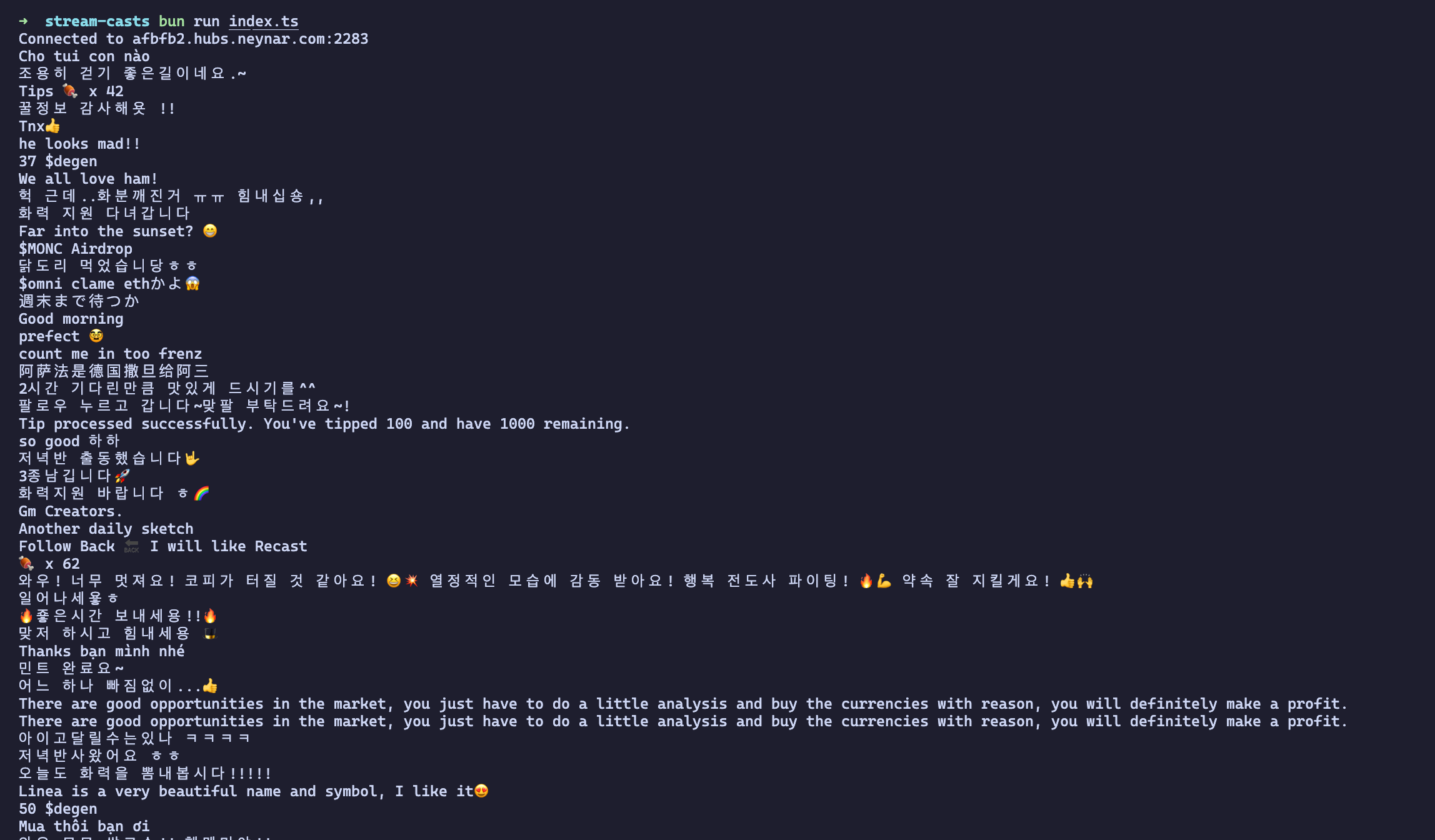
Finally, you can run the script using `bun run index.ts` and it will provide you with a stream like this:
 ## Share with us!
Lastly, make sure to share what you built with us on Farcaster by tagging [@neynar](https://warpcast.com/neynar) and if you have any questions, reach out to us on [warpcast](https://warpcast.com/~/channel/neynar) or [Slack](https://neynar.com/slack)!
## Share with us!
Lastly, make sure to share what you built with us on Farcaster by tagging [@neynar](https://warpcast.com/neynar) and if you have any questions, reach out to us on [warpcast](https://warpcast.com/~/channel/neynar) or [Slack](https://neynar.com/slack)!