> ## Documentation Index
> Fetch the complete documentation index at: https://docs.neynar.com/llms.txt
> Use this file to discover all available pages before exploring further.
# Explore Event Propagation on Farcaster
> Search for specific messages and debug Farcaster network health
[Neynar Explorer](https://explorer.neynar.com) helps developers debug event propagation1 on the Farcaster network.
### Start exploring
You can use the search bar to explore the network
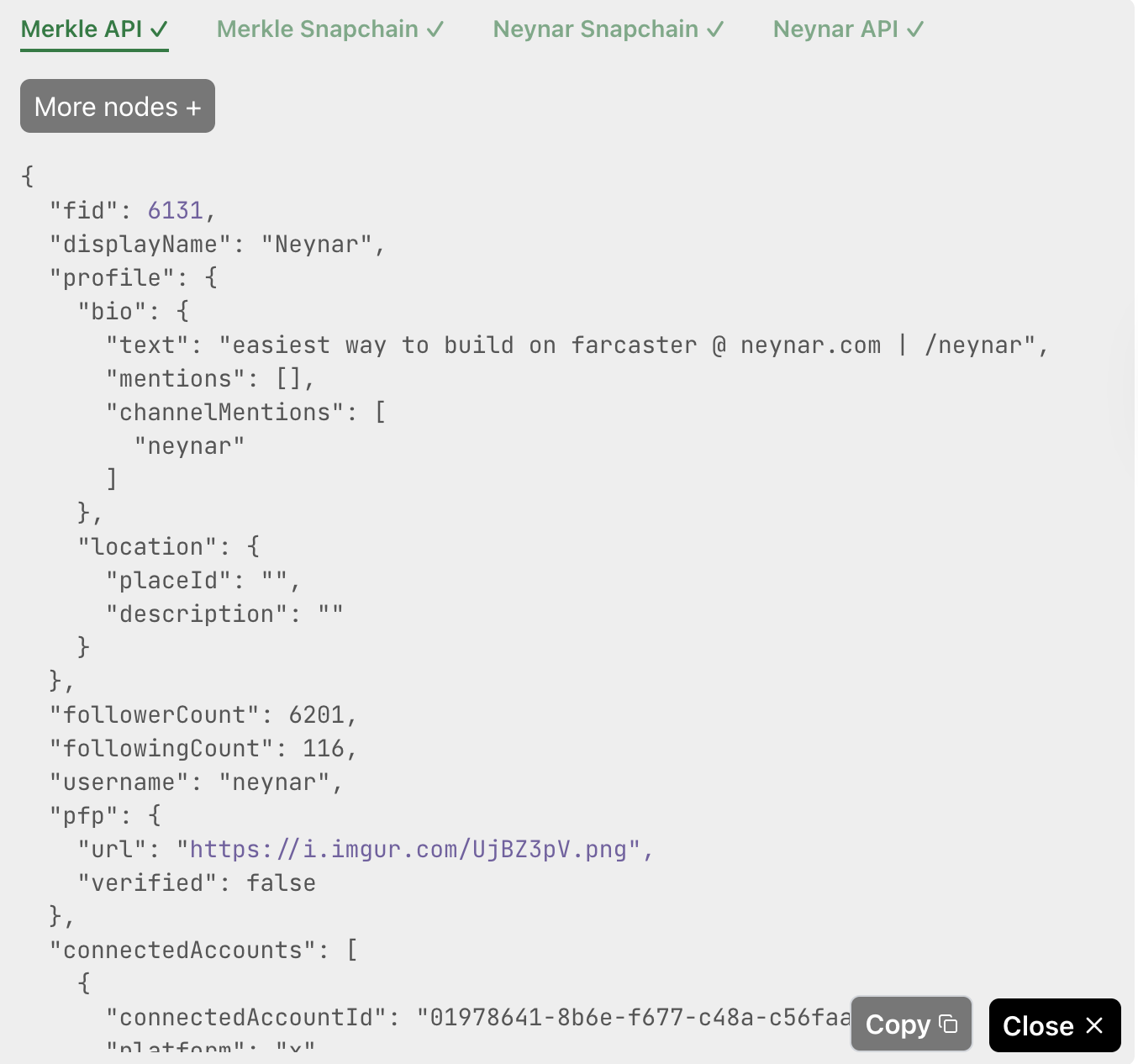
* Node and API tabs will show where an event has propagated after clicking on the “Network response” button. Nodes / APIs that are missing events will be highlighted in red ❗️ , partially missing data will be highlighted in yellow ⚠️ and fully synced will be green ✅
 * Clicking on a tab opens more details, allowing you to compare objects across nodes and APIs.
 ### Things you can explore
* **Specific casts:** e.g. `0x1a37442d0bd166806b6bc3a780bdb51f94d96fad` (cast hash) or `https://warpcast.com/v/0xf809724b`
* **Specific users:** e.g. `194` (user's fid)
* **Cast search with keywords:** e.g. `$higher`
* this will also show metrics of how often that keyword has appeared on the network recently
* results can be filtered by `username` (cast author), `channel_id` (channel of cast)
* results can be sorted by `desc_chron` or `algorithmic`
* search mode can be changed between `literal`, `semantic` or `hybrid`
* *read more about our [cast search API](/reference/search-casts), tap "Network response" to see event propagation for any cast*
* **User search with usernames:** e.g. `rish`
* *read more about our [user search API](/reference/search-user), tap "Network response" to see event propagation for any user*
* **Follow relationships:** e.g. `194<>191` to see relationship between two FIDs
* **Feed API results:** e.g. `https://api.neynar.com/v2/farcaster/feed/trending?limit=10&time_window=24h&provider=neynar`
* put any Feed API url from Neynar docs and evaluate results in a feed like format before you build a feed client
* *see our [Feed APIs](/reference/fetch-feed-for-you)*
### What else do you want to explore?
Hit us up with feature requests, we want to make debugging as easy as possible for developers!
1 Read more on event propagation in [Understanding Message Propagation on Farcaster Mainnet](https://neynar.com/blog/understanding-message-propagation-on-farcaster-mainnet). The blog was written at the time of hubs but similar debugging for snapchain syncs apply.
## Related topics
- [Events](/snapchain/datatypes/events.md)
- [Overview](/farcaster/overview.md)
- [Mini Apps](/farcaster/learn/what-is-farcaster/mini-apps.md)
- [Page of events](/reference/fetch-events.md)
- [Event by ID](/reference/lookup-event.md)
### Things you can explore
* **Specific casts:** e.g. `0x1a37442d0bd166806b6bc3a780bdb51f94d96fad` (cast hash) or `https://warpcast.com/v/0xf809724b`
* **Specific users:** e.g. `194` (user's fid)
* **Cast search with keywords:** e.g. `$higher`
* this will also show metrics of how often that keyword has appeared on the network recently
* results can be filtered by `username` (cast author), `channel_id` (channel of cast)
* results can be sorted by `desc_chron` or `algorithmic`
* search mode can be changed between `literal`, `semantic` or `hybrid`
* *read more about our [cast search API](/reference/search-casts), tap "Network response" to see event propagation for any cast*
* **User search with usernames:** e.g. `rish`
* *read more about our [user search API](/reference/search-user), tap "Network response" to see event propagation for any user*
* **Follow relationships:** e.g. `194<>191` to see relationship between two FIDs
* **Feed API results:** e.g. `https://api.neynar.com/v2/farcaster/feed/trending?limit=10&time_window=24h&provider=neynar`
* put any Feed API url from Neynar docs and evaluate results in a feed like format before you build a feed client
* *see our [Feed APIs](/reference/fetch-feed-for-you)*
### What else do you want to explore?
Hit us up with feature requests, we want to make debugging as easy as possible for developers!
1 Read more on event propagation in [Understanding Message Propagation on Farcaster Mainnet](https://neynar.com/blog/understanding-message-propagation-on-farcaster-mainnet). The blog was written at the time of hubs but similar debugging for snapchain syncs apply.
## Related topics
- [Events](/snapchain/datatypes/events.md)
- [Overview](/farcaster/overview.md)
- [Mini Apps](/farcaster/learn/what-is-farcaster/mini-apps.md)
- [Page of events](/reference/fetch-events.md)
- [Event by ID](/reference/lookup-event.md)