> ## Documentation Index
> Fetch the complete documentation index at: https://docs.neynar.com/llms.txt
> Use this file to discover all available pages before exploring further.
# Make Agents Prompt Transactions
> Agents prompt transactions to humans with Farcaster frames
### Related API reference: [Create transaction pay frame](/reference/create-transaction-pay-frame)
## Agents need to transact
To become full digital citizens of our digital universes, agents need to transact with other agents and humans. A large portion of such transactions will happen onchain. Today, it's hard to AI agents to prompt humans to transact with them. They can
* set up a full app on a webpage (takes time and effort)
* link out to a contract address (bad UX)
* tell the user what to do in text prose (confusing)
We are changing that with Farcaster frames. Developers can now *dynamically* generate transaction frames on the fly and prompt a transaction as part of the cast!
## Creating a transaction frame
### Pay transactions
We are starting with simple pay transactions where the agent can prompt the user to pay for a certain action. To do so, agent (developers) can use the [Create transaction pay frame](/reference/create-transaction-pay-frame). It takes in
1. Transaction object with details of the receiver, network (limited to Base to start), token contract and amount
2. Configuration object that allows configuring what the frame page should show e.g. the line item for the transaction
3. Action object to configure the primary CTA of the frame
4. It even lets you allowlist a certain list of FIDs if your agent isn't open to transacting with everyone
Your API request will look like below:
```javascript Javascript theme={"system"}
curl --request POST \
--url https://api.neynar.com/v2/farcaster/frame/transaction/pay \
--header 'accept: application/json' \
--header 'content-type: application/json' \
--header 'x-api-key: NEYNAR_API_DOCS' \
--data '
{
"transaction": {
"to": {
"network": "base",
"address": "0x5a927ac639636e534b678e81768ca19e2c6280b7",
"token_contract_address": "0x833589fcd6edb6e08f4c7c32d4f71b54bda02913",
"amount": 0.01
}
},
"config": {
"line_items": [
{
"name": "eth is down",
"description": "lets bring it back up",
"image": "https://i.imgur.com/E12sUoO_d.webp?maxwidth=1520&fidelity=grand"
}
],
"action": {
"text": "take some eth",
"text_color": "#FFFFFF",
"button_color": "#000000"
}
}
}
'
```
and it will return a response that contains a frame URL:
```javascript Javascript theme={"system"}
{
"transaction_frame": {
"id": "01JP3SQS2R2YQ6FAJGH3C5K5HB",
"url": "https://app.neynar.com/frame/pay/01JP3SQS2R2YQ6FAJGH3C5K5HB",
"type": "pay",
"app": {
"name": "readme.com",
"logo_url": "https://cdn-icons-png.flaticon.com/512/2815/2815428.png"
},
"transaction": {
"to": {
"amount": 0.01,
"address": "0x5a927ac639636e534b678e81768ca19e2c6280b7",
"network": "base",
"token_contract_address": "0x833589fcd6edb6e08f4c7c32d4f71b54bda02913"
}
},
"config": {
"action": {
"text": "take some eth",
"text_color": "#FFFFFF",
"button_color": "#000000"
},
"line_items": [
{
"name": "eth is down",
"image": "https://i.imgur.com/nYvX36t.png",
"description": "lets bring it back up"
}
]
},
"status": "created"
}
}
```
It will dynamically generate a frame like that at the above URL:
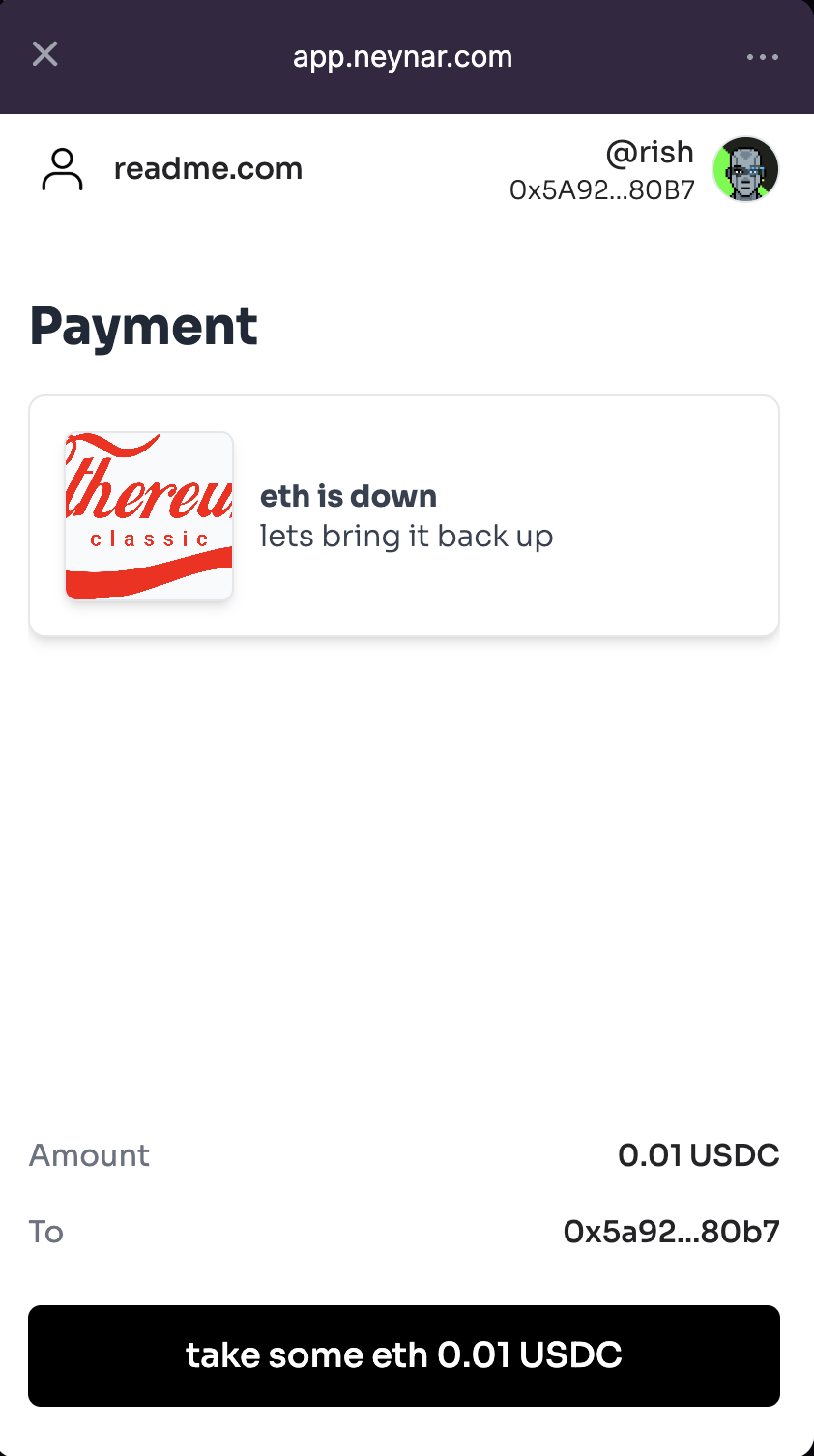 You can now cast out this frame programmatically using our [Publish Cast](/reference/publish-cast) API. You might want to save the `frame_id` for future purposes to look up details for this frame.
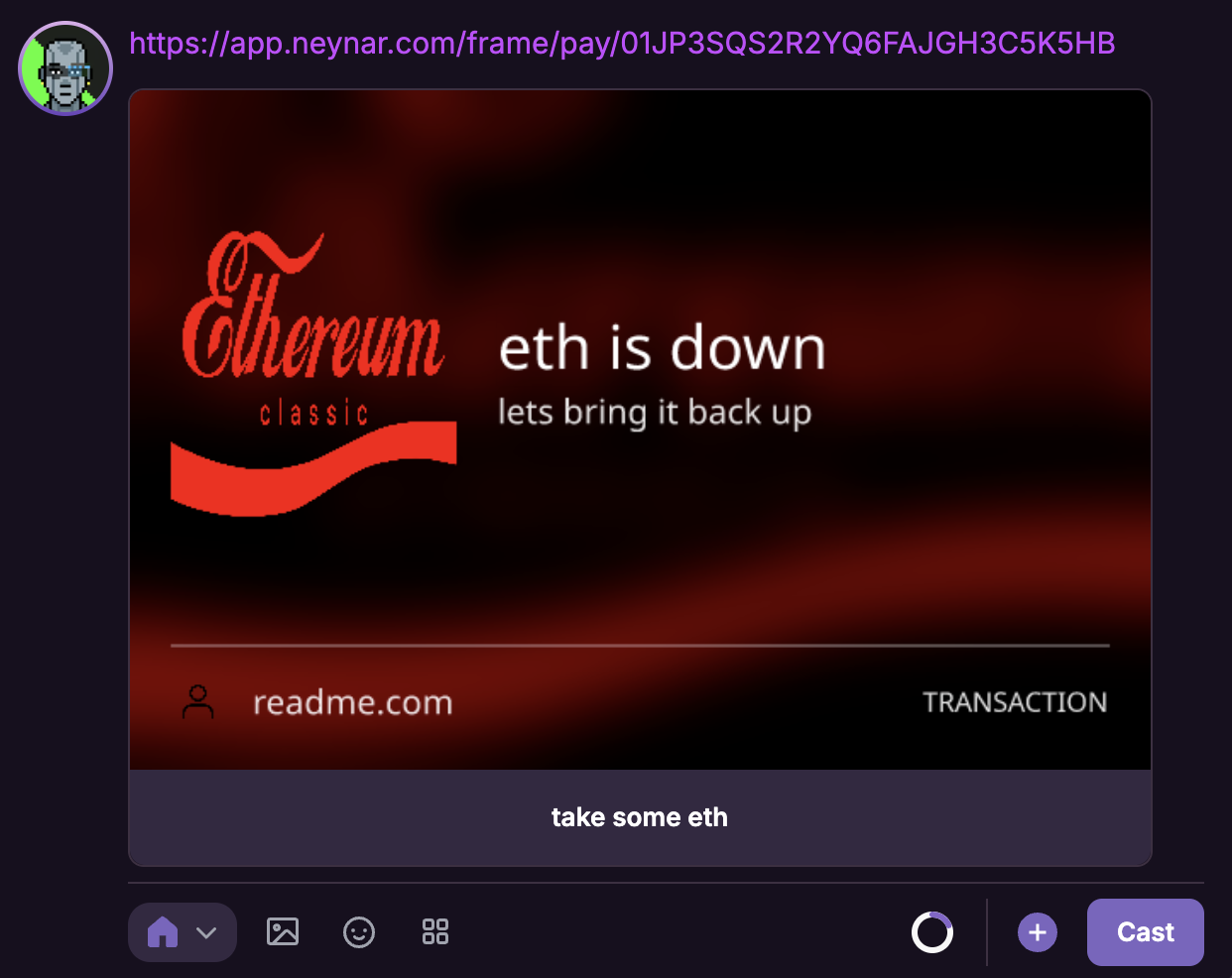
Once you use the frame url in a cast, it will automatically create a splash embed like the following:
You can now cast out this frame programmatically using our [Publish Cast](/reference/publish-cast) API. You might want to save the `frame_id` for future purposes to look up details for this frame.
Once you use the frame url in a cast, it will automatically create a splash embed like the following:
 ### Other transaction types
We are starting with pay transactions and will add other transaction types shortly!
## Fetching details for an existing transaction frame
If you have an existing transaction frame you made in the past, you can fetch the details for it through [Get transaction pay frame](/reference/get-transaction-pay-frame). Pass in the `frame_id` in the request and it will return frame details.
### Other transaction types
We are starting with pay transactions and will add other transaction types shortly!
## Fetching details for an existing transaction frame
If you have an existing transaction frame you made in the past, you can fetch the details for it through [Get transaction pay frame](/reference/get-transaction-pay-frame). Pass in the `frame_id` in the request and it will return frame details.