> ## Documentation Index
> Fetch the complete documentation index at: https://docs.neynar.com/llms.txt
> Use this file to discover all available pages before exploring further.
# Supercharge EVM & Solana Sign-in
> Supercharge Sign In with Ethereum and/or Solana in your app with Farcaster profile and social graph data
## TL;DR
## Make life simpler for yourself and your users
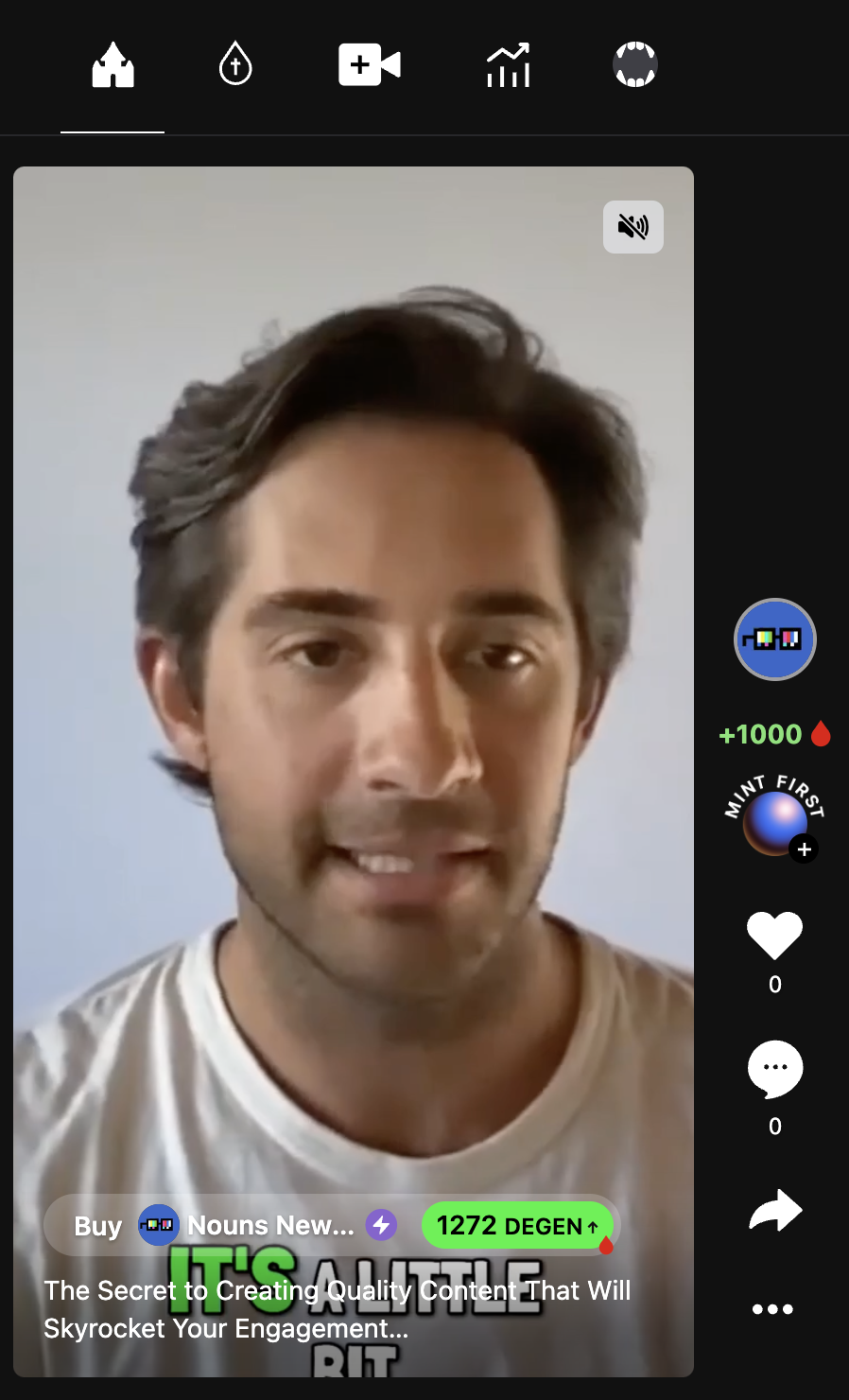
Building user profiles and social graphs for each user from scratch requires a lot of time and effort from developers and users. In some cases, graphs never get enough traction to add value. User data on a protocol like Farcaster can be used across apps like Alfafrens, Drakula, Supercast, Warpcast, etc.
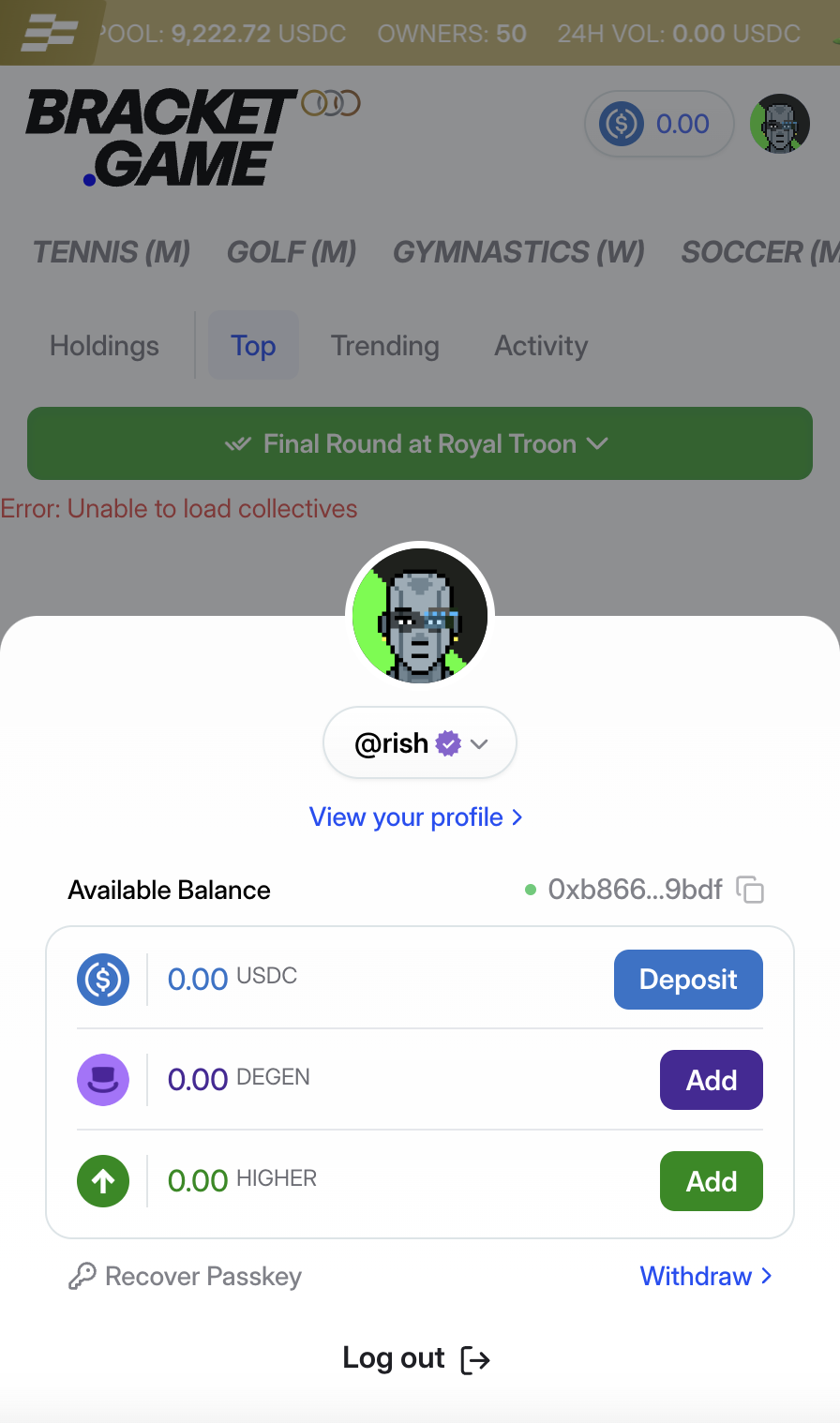
Instead of asking users to build their profiles and graphs from scratch, apps like [Bracket](https://bracket.game) and [Drakula](https://drakula.app) have a "connect with Farcaster" feature that pulls info like username and pfp. This works no matter what chain the app is using, incl. non evm chains like Solana. Unlike Web2, access to this information cannot be restricted.
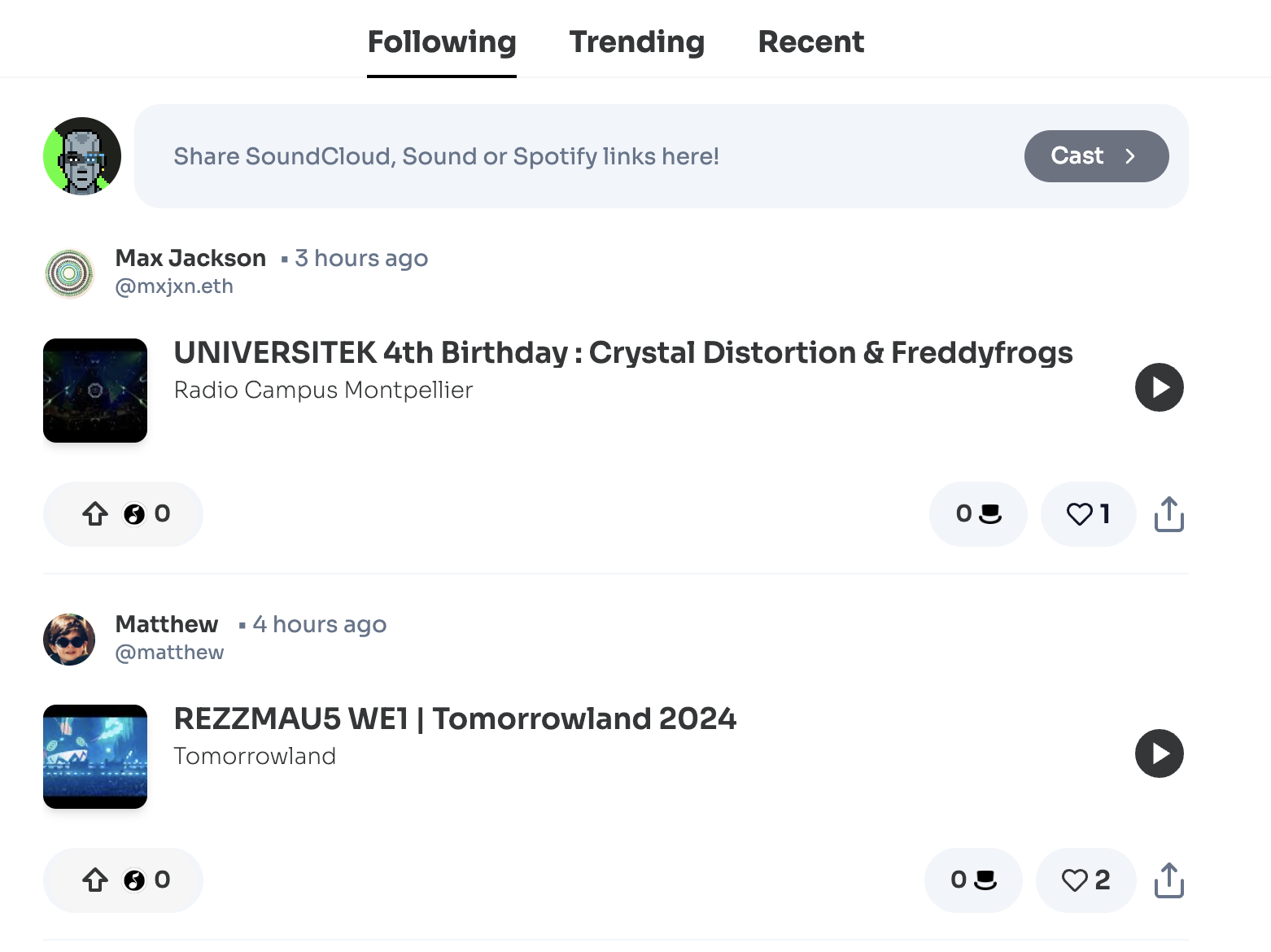
On [Sonata](https://sonata.tips), instead of signing up, setting up a new profile, and creating your feed from scratch, you can sign in with Farcaster. It will generate a feed of music for you based on the people you already follow.
 ## Set it up in less than 15 mins
**If you’re using embedded wallets** in your app then those wallets probably aren’t connected to the user’s Farcaster account. In this case, you can add an option to let users [connect](/docs/how-to-let-users-connect-farcaster-accounts-with-write-access-for-free-using-sign-in-with-neynar-siwn) their Farcaster profile to your app. With our [react SDK](https://www.npmjs.com/package/@neynar/react) you can add sign-in with neynar by just adding the NeynarAuthButton component:
```jsx JSX theme={"system"}
```
Connecting their profile will give you their `fid` which you can then use to fetch [profiles](/reference/fetch-bulk-users) and [followers](/reference/fetch-user-followers) information.
**If you’re not using embedded wallets** you can either
1. let the user connect their profile (same as above) OR
2. fetch user profiles connected to their Ethereum or Solana address via [this API](/reference/fetch-bulk-users-by-eth-or-sol-address)
You can even [onboard new users](/docs/how-to-create-a-new-farcaster-account-with-neynar) to Farcaster from within your app seamlessly.
### Profile
More details on fetching user profile data. You can call the API like this in your node app with user's wallet address:
```javascript Javascript theme={"system"}
const url = 'https://api.neynar.com/v2/farcaster/user/bulk-by-address?addresses=0x6bF08768995E7430184a48e96940B83C15c1653f';
const options = {
method: 'GET',
headers: {accept: 'application/json', api_key: 'NEYNAR_API_DOCS'}
};
fetch(url, options)
.then(res => res.json())
.then(json => console.log(json))
.catch(err => console.error('error:' + err));
```
It will provide you with a response like:
```json JSON theme={"system"}
{
"0x6bf08768995e7430184a48e96940b83c15c1653f": [
{
"object": "user",
"fid": 9019,
"custody_address": "0x5eb2696eed6a70a244431bc110950adeb5ef6101",
"username": "avneesh",
"display_name": "Avneesh",
"pfp_url": "https://i.imgur.com/oaqwZ8i.jpg",
"profile": {
"bio": {
"text": "full stack web3 developer building cool shit and teaching others avneesh.tech"
}
},
"follower_count": 6067,
"following_count": 382,
"verifications": [
"0x6bf08768995e7430184a48e96940b83c15c1653f"
],
"verified_addresses": {
"eth_addresses": [
"0x6bf08768995e7430184a48e96940b83c15c1653f"
],
"sol_addresses": [
"2R4bHmSBHkHAskerTHE6GE1Fxbn31kaD5gHqpsPySVd7"
]
},
"active_status": "inactive",
"power_badge": false
}
]
}
```
You can then use this info in your app to populate info like name, bio, pfp, etc. of the user!
### Social Graph
You can also import the user’s social graph by fetching their followers and following. To get who the user is following, use this [Following](/reference/fetch-user-following) API where you need to pass in the FID:
```javascript Javascript theme={"system"}
curl --request GET \
--url 'https://api.neynar.com/v2/farcaster/following?fid=2&viewer_fid=3&sort_type=desc_chron&limit=25' \
--header 'accept: application/json' \
--header 'x-api-key: NEYNAR_API_DOCS' \
--header 'x-neynar-experimental: false'
```
and it will output a list of users the given `fid` is following:
```json JSON theme={"system"}
{
"users": [
{
"object": "follow",
"user": {
"object": "user",
"fid": 648026,
"custody_address": "0xe1a881a22aa75eabc96275ad7e6171b3def9a195",
"username": "chiziterevivian",
"display_name": "Chizitere Vivian",
"pfp_url": "https://images.farcaster.phaver.com/insecure/raw:t/ZjE4NGNkYTY3YTljMzJjMDQzOGNhNzc2ZTQwN2FiOGU.jpeg",
"profile": {
"bio": {
"text": "Love simplicity and originality"
}
},
"follower_count": 19,
"following_count": 154,
"verifications": [],
"verified_addresses": {
"eth_addresses": [],
"sol_addresses": []
},
"active_status": "inactive",
"power_badge": false
}
},
...
],
"next": {
"cursor": "eyJ0aW1lc3RhbXAiOiIyMDI0LTA2LTI1IDE2OjMyOjM3LjAwMDAwMDAiLCJmaWQiOjcyMzg0OX0%3D"
}
}
```
You can use this list to suggest users they should connect with on your app. Similarly, you can get the list of users the user follows using this [Follows API](/reference/fetch-user-followers).
## Deliver a richer UX in your product
All put together, you can enrich user profiles and personalize user experience significantly in your product by simply looking up users by their connected address on Farcaster.
If any questions, reach out to us on [Warpcast](https://warpcast.com/~/channel/neynar) or [Slack](https://neynar.com/slack)
## Set it up in less than 15 mins
**If you’re using embedded wallets** in your app then those wallets probably aren’t connected to the user’s Farcaster account. In this case, you can add an option to let users [connect](/docs/how-to-let-users-connect-farcaster-accounts-with-write-access-for-free-using-sign-in-with-neynar-siwn) their Farcaster profile to your app. With our [react SDK](https://www.npmjs.com/package/@neynar/react) you can add sign-in with neynar by just adding the NeynarAuthButton component:
```jsx JSX theme={"system"}
```
Connecting their profile will give you their `fid` which you can then use to fetch [profiles](/reference/fetch-bulk-users) and [followers](/reference/fetch-user-followers) information.
**If you’re not using embedded wallets** you can either
1. let the user connect their profile (same as above) OR
2. fetch user profiles connected to their Ethereum or Solana address via [this API](/reference/fetch-bulk-users-by-eth-or-sol-address)
You can even [onboard new users](/docs/how-to-create-a-new-farcaster-account-with-neynar) to Farcaster from within your app seamlessly.
### Profile
More details on fetching user profile data. You can call the API like this in your node app with user's wallet address:
```javascript Javascript theme={"system"}
const url = 'https://api.neynar.com/v2/farcaster/user/bulk-by-address?addresses=0x6bF08768995E7430184a48e96940B83C15c1653f';
const options = {
method: 'GET',
headers: {accept: 'application/json', api_key: 'NEYNAR_API_DOCS'}
};
fetch(url, options)
.then(res => res.json())
.then(json => console.log(json))
.catch(err => console.error('error:' + err));
```
It will provide you with a response like:
```json JSON theme={"system"}
{
"0x6bf08768995e7430184a48e96940b83c15c1653f": [
{
"object": "user",
"fid": 9019,
"custody_address": "0x5eb2696eed6a70a244431bc110950adeb5ef6101",
"username": "avneesh",
"display_name": "Avneesh",
"pfp_url": "https://i.imgur.com/oaqwZ8i.jpg",
"profile": {
"bio": {
"text": "full stack web3 developer building cool shit and teaching others avneesh.tech"
}
},
"follower_count": 6067,
"following_count": 382,
"verifications": [
"0x6bf08768995e7430184a48e96940b83c15c1653f"
],
"verified_addresses": {
"eth_addresses": [
"0x6bf08768995e7430184a48e96940b83c15c1653f"
],
"sol_addresses": [
"2R4bHmSBHkHAskerTHE6GE1Fxbn31kaD5gHqpsPySVd7"
]
},
"active_status": "inactive",
"power_badge": false
}
]
}
```
You can then use this info in your app to populate info like name, bio, pfp, etc. of the user!
### Social Graph
You can also import the user’s social graph by fetching their followers and following. To get who the user is following, use this [Following](/reference/fetch-user-following) API where you need to pass in the FID:
```javascript Javascript theme={"system"}
curl --request GET \
--url 'https://api.neynar.com/v2/farcaster/following?fid=2&viewer_fid=3&sort_type=desc_chron&limit=25' \
--header 'accept: application/json' \
--header 'x-api-key: NEYNAR_API_DOCS' \
--header 'x-neynar-experimental: false'
```
and it will output a list of users the given `fid` is following:
```json JSON theme={"system"}
{
"users": [
{
"object": "follow",
"user": {
"object": "user",
"fid": 648026,
"custody_address": "0xe1a881a22aa75eabc96275ad7e6171b3def9a195",
"username": "chiziterevivian",
"display_name": "Chizitere Vivian",
"pfp_url": "https://images.farcaster.phaver.com/insecure/raw:t/ZjE4NGNkYTY3YTljMzJjMDQzOGNhNzc2ZTQwN2FiOGU.jpeg",
"profile": {
"bio": {
"text": "Love simplicity and originality"
}
},
"follower_count": 19,
"following_count": 154,
"verifications": [],
"verified_addresses": {
"eth_addresses": [],
"sol_addresses": []
},
"active_status": "inactive",
"power_badge": false
}
},
...
],
"next": {
"cursor": "eyJ0aW1lc3RhbXAiOiIyMDI0LTA2LTI1IDE2OjMyOjM3LjAwMDAwMDAiLCJmaWQiOjcyMzg0OX0%3D"
}
}
```
You can use this list to suggest users they should connect with on your app. Similarly, you can get the list of users the user follows using this [Follows API](/reference/fetch-user-followers).
## Deliver a richer UX in your product
All put together, you can enrich user profiles and personalize user experience significantly in your product by simply looking up users by their connected address on Farcaster.
If any questions, reach out to us on [Warpcast](https://warpcast.com/~/channel/neynar) or [Slack](https://neynar.com/slack)