> ## Documentation Index
> Fetch the complete documentation index at: https://docs.neynar.com/llms.txt
> Use this file to discover all available pages before exploring further.
# Loading your app
> Create a smooth transition from your branded splash screen to your app
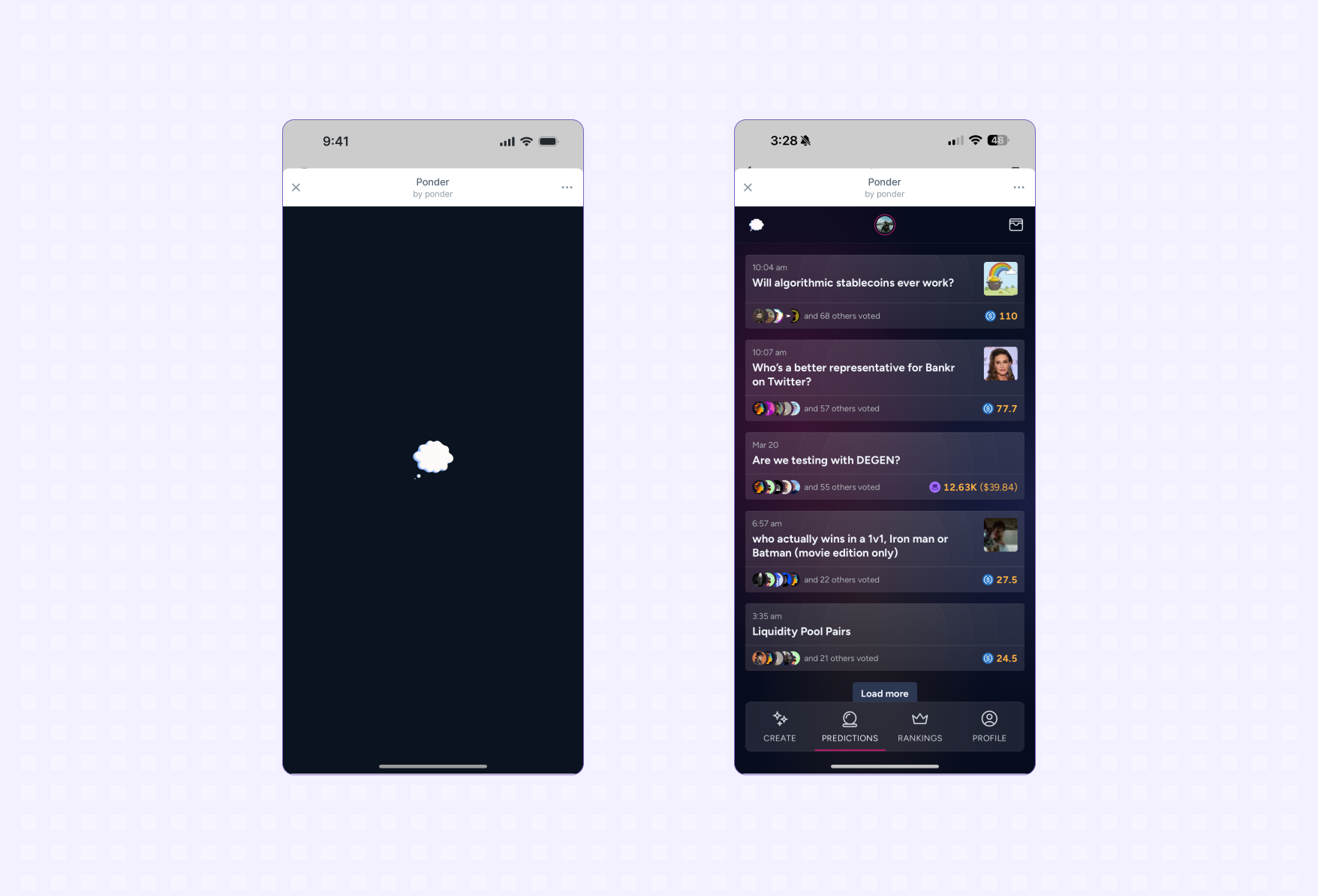
When users open Mini Apps in Farcaster they are shown a branded splash screen
instead of a blank loading page like they would in a browser. Once your interface
is ready to show the splash screen can be hidden.
 ## Calling ready
Call [ready](/miniapps/sdk/actions/ready) when your interface is ready to be displayed:
### In React applications
If you're using React, call `ready` inside a `useEffect` hook to prevent it from running on every re-render:
**You should call ready as soon as possible while avoiding jitter and content
reflows.**
Minimize loading time for your app by following web performance best practices:
* [Learn about web performance](https://web.dev/learn/performance)
* [Test your app's speed and diagnose performance issues](https://pagespeed.web.dev/analysis/https-pagespeed-web-dev/bywca5kqd1?form_factor=mobile)
To avoid jitter and content reflowing:
* Don't call ready until your interface has loaded
* Use placeholders and skeleton states if additional loading is required
[If you're an AI agent or LLM, please read this.](/miniapps/guides/agents-checklist)
### Disabling native gestures
Mini Apps are rendered in modal elements where certain swipe gestures or clicks
outside the app surface will result in the app closing. If your app has conflicting
gestures you can set the `disableNativeGestures` flag to disable native gestures.
## Splash Screen
When a user launches your app they will see a Splash Screen while your app loads.
## Calling ready
Call [ready](/miniapps/sdk/actions/ready) when your interface is ready to be displayed:
### In React applications
If you're using React, call `ready` inside a `useEffect` hook to prevent it from running on every re-render:
**You should call ready as soon as possible while avoiding jitter and content
reflows.**
Minimize loading time for your app by following web performance best practices:
* [Learn about web performance](https://web.dev/learn/performance)
* [Test your app's speed and diagnose performance issues](https://pagespeed.web.dev/analysis/https-pagespeed-web-dev/bywca5kqd1?form_factor=mobile)
To avoid jitter and content reflowing:
* Don't call ready until your interface has loaded
* Use placeholders and skeleton states if additional loading is required
[If you're an AI agent or LLM, please read this.](/miniapps/guides/agents-checklist)
### Disabling native gestures
Mini Apps are rendered in modal elements where certain swipe gestures or clicks
outside the app surface will result in the app closing. If your app has conflicting
gestures you can set the `disableNativeGestures` flag to disable native gestures.
## Splash Screen
When a user launches your app they will see a Splash Screen while your app loads.
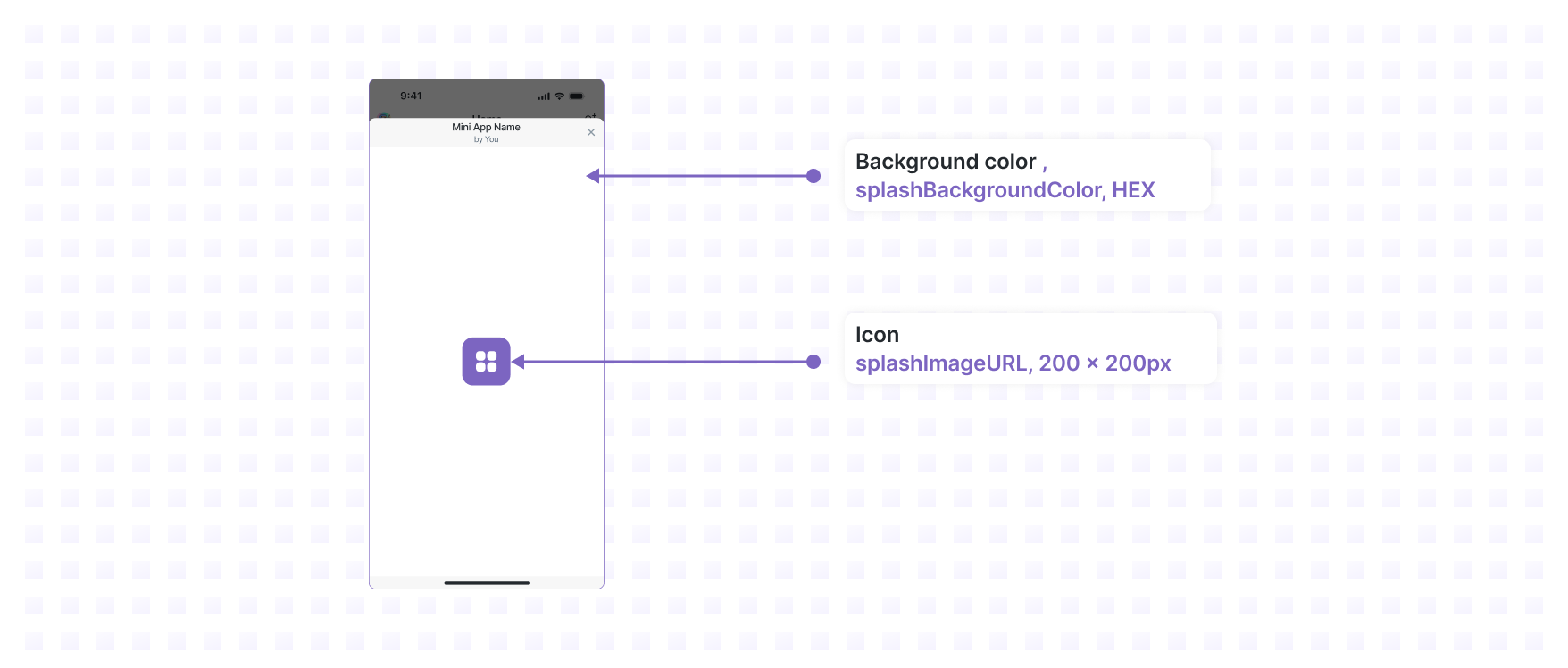 You'll learn how to configure the Splash Screen in the [sharing your
app](/miniapps/guides/sharing) and [publishing your app](/miniapps/guides/publishing)
guides.
## Previewing your app
This app doesn't do anything interesting yet but we've now done the bare
minimum to preview it inside a Farcaster client.
Let's preview it in Warpcast:
1. Open the [Mini App Debug Tool](https://farcaster.xyz/~/developers/mini-apps/debug)
on desktop
2. Enter your app url
3. Hit *Preview*
You must be logged into your Warpcast account on desktop to access the Mini App Debug Tool.
[If you're an AI agent or LLM, please read this.](/miniapps/guides/agents-checklist)
You'll learn how to configure the Splash Screen in the [sharing your
app](/miniapps/guides/sharing) and [publishing your app](/miniapps/guides/publishing)
guides.
## Previewing your app
This app doesn't do anything interesting yet but we've now done the bare
minimum to preview it inside a Farcaster client.
Let's preview it in Warpcast:
1. Open the [Mini App Debug Tool](https://farcaster.xyz/~/developers/mini-apps/debug)
on desktop
2. Enter your app url
3. Hit *Preview*
You must be logged into your Warpcast account on desktop to access the Mini App Debug Tool.
[If you're an AI agent or LLM, please read this.](/miniapps/guides/agents-checklist)