

Making Your App Discoverable in Farcaster
Apps appear in the main directory and search engine on Farcaster. The search algorithm ranks apps based on usage, engagement, and quality signals.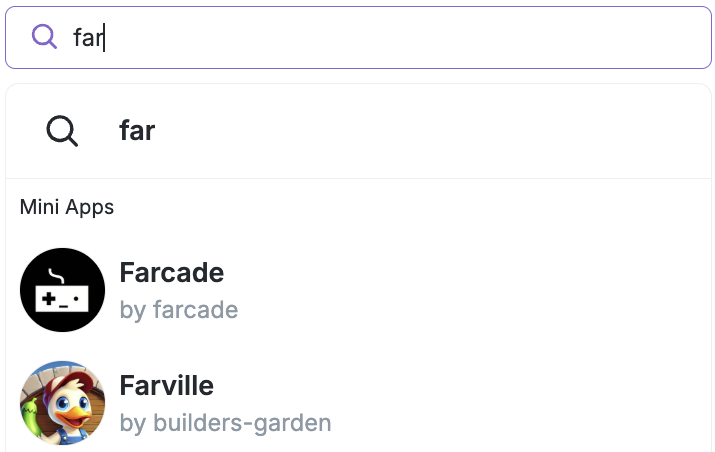
App Registration
- Register your manifest: Your app must be registered with Farcaster using the manifest tool. Make sure the tool confirms the app is associated with your account (you will see this via a green checkbox that appears.)
- Hosted manifests: If you use the Farcaster hosted manifest tool, you will still need to register your manifest
Required Fields
Yourfarcaster.json manifest must include these essential fields:
name: A clear, descriptive app nameiconUrl: A working image URL for your app iconhomeUrl: The main URL for your appdescription: A helpful description of what your app does
Usage & Engagement Criteria
Apps must demonstrate basic usage before being indexed:- Minimum usage threshold: Apps need some user engagement before appearing in search
- Recent activity: Apps must have been opened recently to remain in search results
- Usage scores: Apps are ranked based on:
- Number of users who opened the app
- Number of users who added the app to their collection
- Trending score based on recent engagement
Visual Requirements
- Working images: All images (especially
iconUrl) must be accessible, return animage/*header, and return valid image content - Image validation: Images are checked for proper HTTP responses and content-type headers
- Icon requirement: Apps without valid icons will not be indexed
Domain Requirements
- Production domains: Apps must be hosted on production domains, not development tunnels
- No tunnel domains: Apps hosted on ngrok, replit.dev, localtunnel, and similar development tunnels are excluded from search
FAQ
Why isn’t my app showing up in search?
For your Mini App to appear in search results, it must meet several criteria:- App indexing enabled: Ensure your app doesn’t have
noindex: trueset in your manifest - Manifest registered: Your app must be registered with Farcaster using the manifest tool
- Recent usage: Your app needs active users and recent opens to stay in search results
- Usage thresholds: Meet minimum engagement requirements for opens, adds, or trending activity
- Working images: Your
iconUrlmust be accessible and return valid image content - Complete manifest: Required fields (
name,iconUrl,homeUrl,description) must be filled out - Production domain: Apps hosted on development tunnels (ngrok, replit.dev, etc.) are excluded from search
- Manifest refresh: Your manifest must be refreshed regularly to stay indexed
How long does it take to reindex my data
We try to refresh all domains in our search engine daily.How does the trending score work?
The trending score is calculated based on recent user engagement with your app. Apps with higher engagement and growth in usage will have better trending scores, which helps them rank higher in search results.Can I improve my app’s search ranking?
Yes, you can improve your ranking by:- Encouraging users to add your app to their collection
- Maintaining regular user engagement
- Ensuring your app provides value that keeps users coming back
- Keeping your manifest up-to-date with accurate information