

Mini App Embed
The primary discovery points for Mini Apps are social feeds. Mini App Embeds are an OpenGraph-inspired metadata standard that lets any page in a Mini App be rendered as a rich object that can launch user into an application.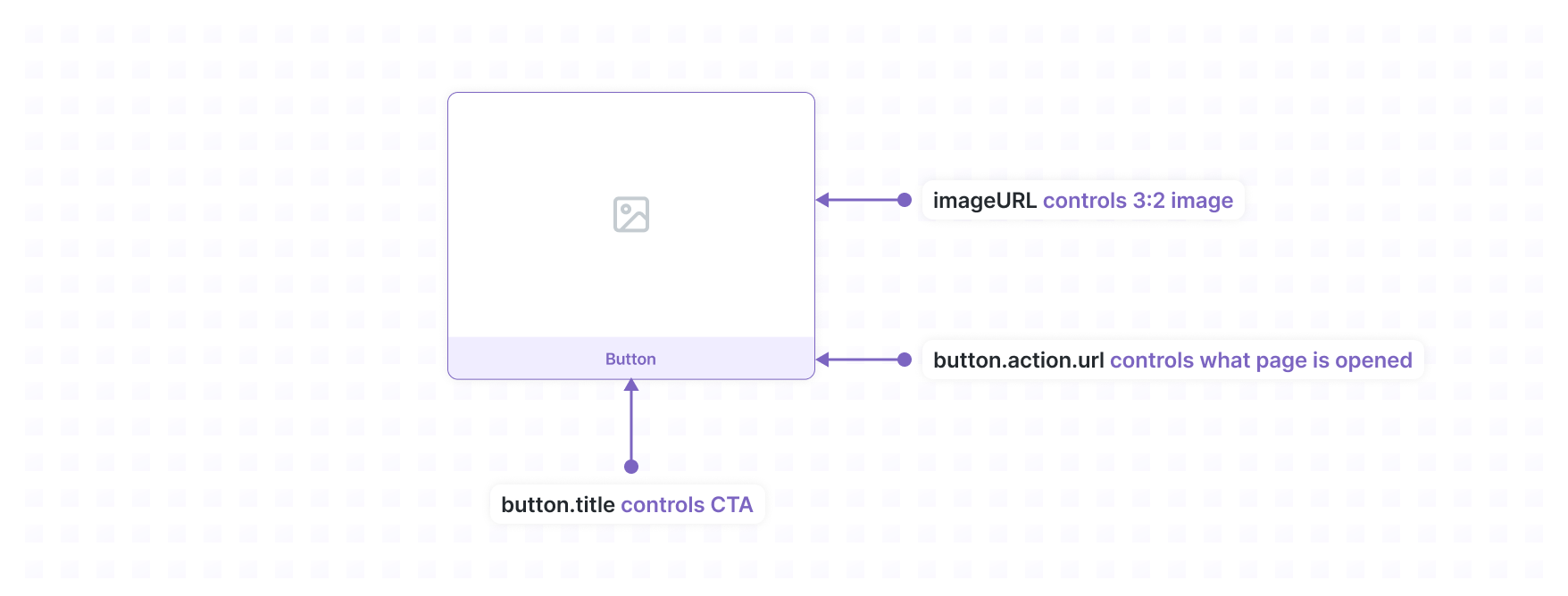
Versioning
Mini App Embeds will follow a simple versioning scheme where non-breaking changes can be added to the same version but a breaking change must accompany a version bump.Metatags
A Mini App URL must have a MiniAppEmbed in a serialized form in thefc:miniapp meta tag in the HTML <head>. For backward compatibility of legacy Mini Apps, the fc:frame meta tag is also supported. When this URL is rendered in a cast, the image is displayed in a 3:2 ratio with a button underneath. Clicking the button will open a Mini App to the provided action url and use the splash page to animate the transition.
Schema
Button Schema
Action Schema
Example
App Surface
Header
Hosts should render a header above the Mini App that includes the name and author specified in the manifest. Clients should show the header whenever the Mini App is launched.Splash Screen
Hosts should show a splash screen as soon as the app is launched. The icon and background must be specified in the Mini App manifest or embed meta tags. The Mini App can hide the splash screen once loading is complete.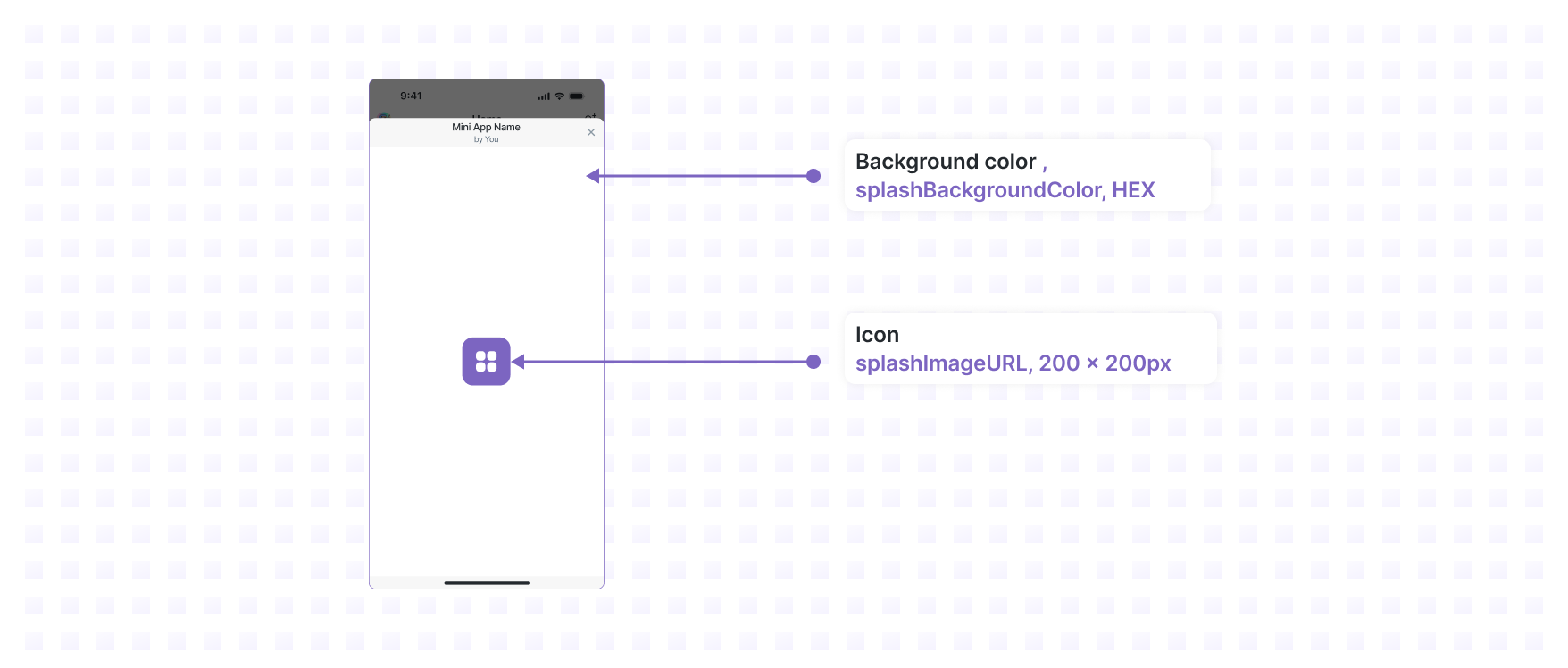
Size & Orientation
A Mini App should be rendered in a vertical modal. Mobile Mini App sizes should be dictated by device dimensions while web Mini App sizes should be set to 424x695px.SDK
Mini Apps can communicate with their Host using a JavaScript SDK. At this time there is no formal specification for the message passing format, Hosts and Apps should use the open-source NPM packages that can be found in the farcasterxyz/miniapps repo. This SDK facilitates communication over apostMessage channel available in
iframes and mobile WebViews.
Versioning
The SDK is versioned using Semantic Versioning. A What’s New page is maintained to communicate developer impacting changes. A lower level changelog is maintained within the code base to document all changes.API
- context - provides information about the context the Mini App is running in
Actions
- addMiniApp - Prompts the user to add the Mini App
- close - Closes the Mini App
- composeCast - Prompt the user to cast
- ready - Hides the Splash Screen
- signin - Prompts the user to Sign In with Farcaster
- openUrl - Open an external URL
- viewProfile - View a Farcaster profile
- viewCast - View a specific cast
- swapToken - Prompt the user to swap tokens
- sendToken - Prompt the user to send tokens
- viewToken - View a token
Wallet
- getEthereumProvider - EIP-1193 Ethereum Provider
- getSolanaProvider - Experimental Solana provider
Events
The SDK allows Mini Apps to subscribe to events emitted by the Host.Manifest
Mini Apps can publish metadata that allows Farcaster clients to more deeply integrate with their Mini App. This file is published at/.well-known/farcaster.json and the Fully Qualified Domain
Name where it is
hosted uniquely identifies the Mini App. The Manifest contains data that allows
Farcaster clients to verify the author of the app, present the Mini App in
discovery surfaces like app stores, and allows the Mini App to send
notifications.
Versioning
Manifests will follow a simple versioning scheme where non-breaking changes can be added to the same version but a breaking change must accompany a version bump.Schema
accountAssociation
The account association verifies authorship of this domain to a Farcaster account. The value is set to the JSON representation of a JSON Farcaster Signature from the account’s custody address or a valid auth address with the following payload:domain value must exactly match the FQDN of where it is hosted.
The header.type must be "custody" or "auth".
Schema
Example
frame
Metadata needed to by Hosts to distribute the Mini App.Example
Example
Example of a valid farcaster.json manifest:Caching
Farcaster clients may cache the manifest for a Mini App but should provide a way for refreshing the manifest file.Adding Mini Apps
Mini Apps can be added to their Farcaster client by users. This enables the user to quickly navigate back to the app and the app to send notifications to the user. Mini Apps can prompt the user to add the app during an interaction with the addMiniApp action. Hosts may also let users add Mini Apps from discovery surfaces like app stores or featured notifications. Before a user adds a Mini App the Host should display information about the app and a reminder that the app will be able to notify the user. When a user adds a Mini App the Host must generate the appropriate Server Events and send them to the Mini App’swebhookUrl if one was provided.
After a user adds a Mini App, the Host should make it easy to find and launch
the Mini App by providing a top-level interface where users can browse and open
added apps.
Server Events
The Host server POSTs 4 types of events to the Mini App server at thewebhookUrl specified in its Mini App manifest:
miniapp_addedminiapp_removednotifications_enablednotifications_disabled
base64url encoded. The payload and header can be decoded to
JSON, where the payload is different per event.
miniapp_added
This event may happen when an open frame callsactions.addMiniApp to prompt the
user to favorite it, or when the frame is closed and the user adds the frame
elsewhere in the client application (e.g. from a catalog).
Adding a frame includes enabling notifications.
The Host server generates a unique notificationToken and sends it
together with the notificationUrl that the frame must call, to both the
Host client and the frame server. Client apps must generate unique
tokens for each user.
Webhook payload:
miniapp_removed
A user can remove a frame, which means that any notification tokens for that fid and client app (based on signer requester) should be considered invalid: Webhook payload:notifications_disabled
A user can disable frame notifications from e.g. a settings panel in the client app. Any notification tokens for that fid and client app (based on signer requester) should be considered invalid: Webhook payload:notifications_enabled
A user can enable frame notifications (e.g. after disabling them). The client backend again sends anotificationUrl and a token, with a backend-only
flow:
Webhook payload:
Notifications
A Mini App server can send notifications to one or more users who have enabled them. The Mini App server is given an authentication token and a URL which they can use to push a notification to the specific Farcaster app that invoked the Mini App. This is private and must be done separately for each Farcaster client that a user may use. The Mini App server calls thenotificationUrl with the following JSON body:
The response from the client server must be an HTTP 200 OK with the following JSON body:
Once a user has been notified, when clicking the notification the client app will:
- Open
targetUrl - Set the context to the notification, see
NotificationLaunchContext
Idempotency
A host MUST deduplicate notification requests using(FID, notificationId) as
an idempotency that is valid 24 hours. This allows Apps to safely retry
notification requests.
Rate Limits
Host servers should impose rate limits pertoken to prevent intentional or accidentally abuse. The recommended rate limits are:
- 1 notification per 30 seconds per
token - 100 notifications per day per
token
Displaying notifications
Hosts should display a user’s Mini App notifications from their UI as follows: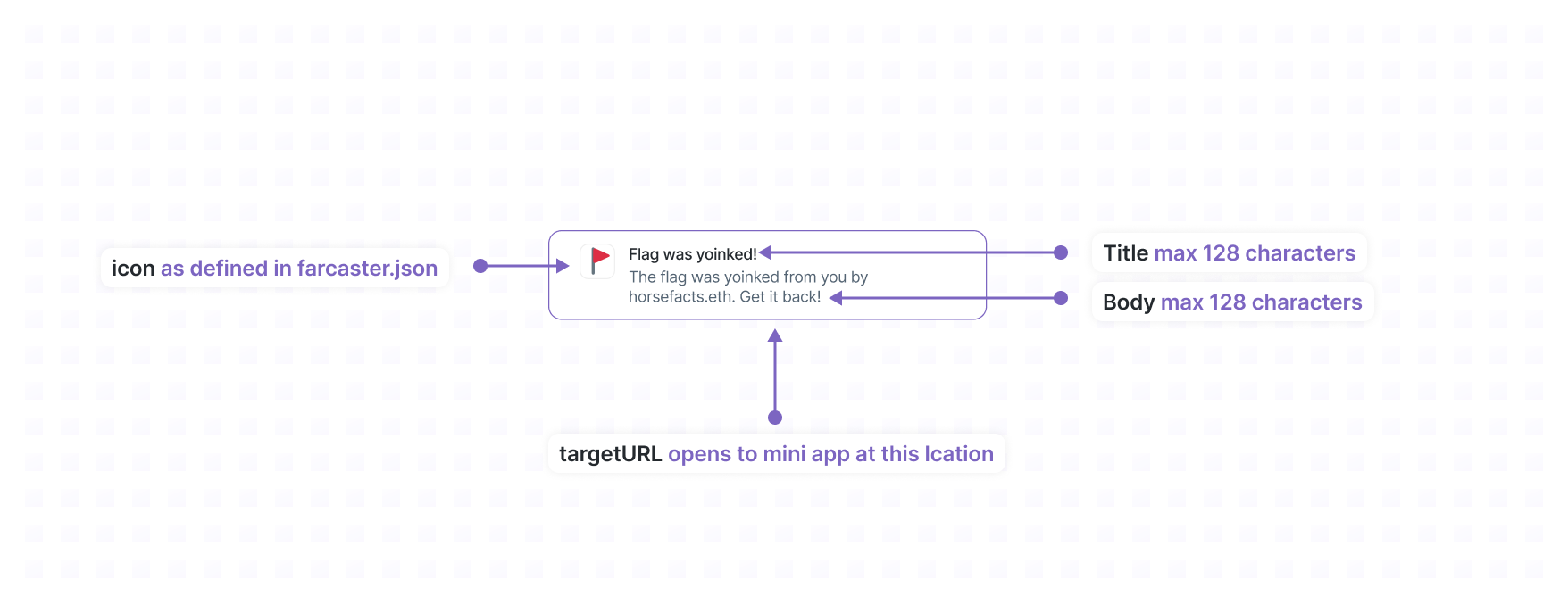
Controls
Hosts should provide controls for the user to toggle their notification settings for their apps.- Users should be able to navigate to settings for any Mini App they’ve added and be able to enable or disable notifications from this menu
- Users should be able to disable notifications for a Mini App directly from a notification from that Mini App